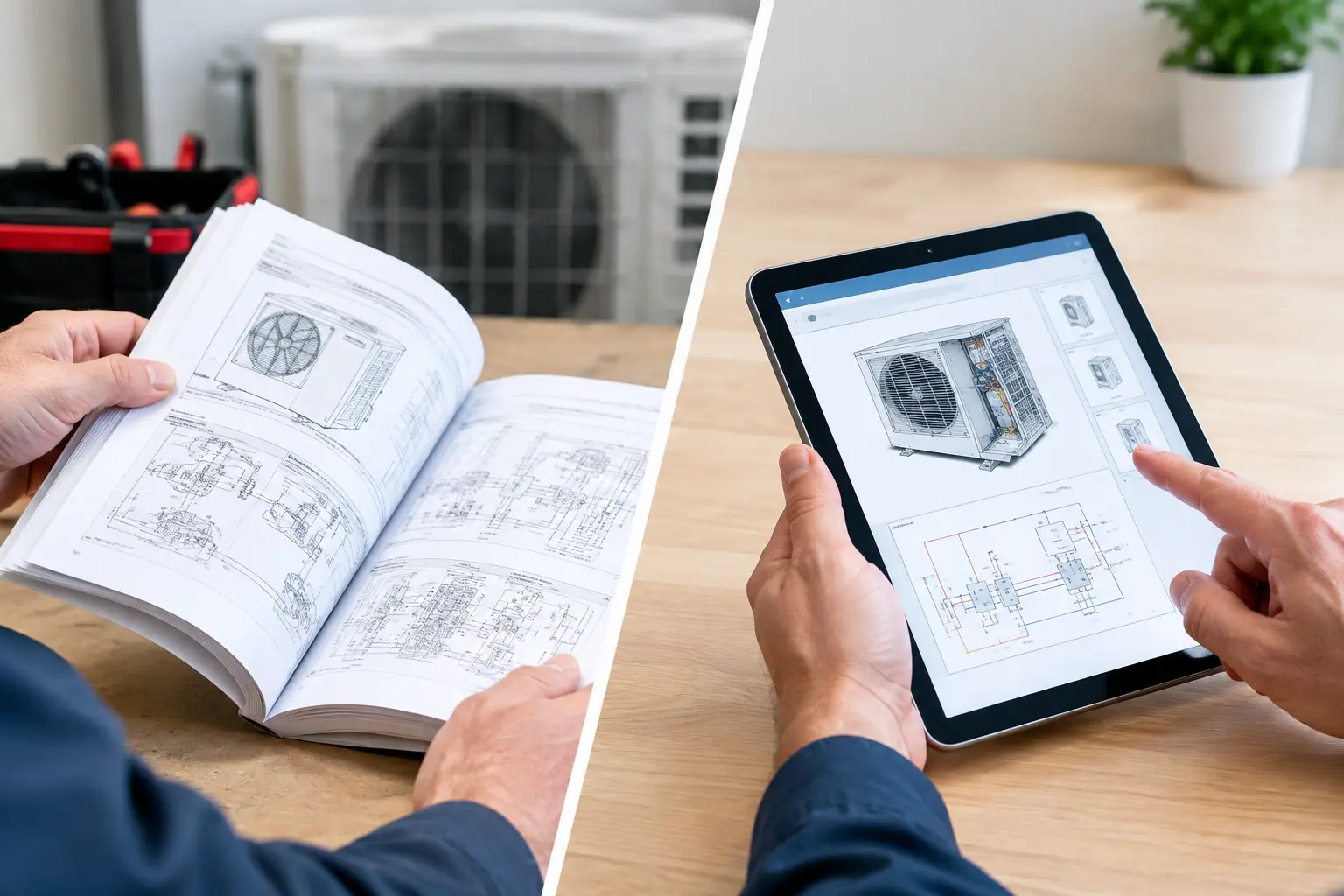
A no-cool call at 4:30 p.m. is a poor time to hunt through a truck for a 260-page installation manual. Yet that is still the reality for many service teams. The choice between HVAC paper manuals versus digital resources is not about whether technicians should use phones instead of books. It is about how quickly they can get accurate information, make a sound diagnosis, and restore the system without unnecessary callbacks.
Paper still has a place in the trade. Digital tools solve real field problems that paper cannot. The better setup usually uses both, with a clear priority: put the information technicians need most often in the format they can reach fastest.
HVAC Paper Manuals Versus Digital in the Field
Paper manuals are familiar. A technician can mark pages, keep wiring diagrams open on a workbench, and use a printed document with no login, battery, or cell signal. For older equipment, a paper binder can also preserve documents that are difficult to find online.
Those benefits are real, but paper creates friction during diagnosis. A manual must be in the vehicle, be the correct revision, and be readable after months of truck use. It may cover several model families, leaving the technician to sort through pages that do not apply to the unit in front of them. If one technician has the only copy, the rest of the team does not have it.
Digital resources change that access problem. A technician can search a model number, error code, sequence of operation, or component name instead of flipping through an index. The right wiring diagram, service manual, calculator, or diagnostic procedure can be available from the same account on a phone, tablet, or laptop.
Speed matters, but accuracy matters more. Fast access to the wrong document is not an improvement. A digital system only helps when files are organized, labeled clearly, and tied to the correct equipment information.
Where Paper Manuals Still Earn Their Space
Paper is not obsolete just because digital resources are usually faster. A printed manual is dependable when a device battery dies, an account cannot be accessed, or a technician is working where connectivity is weak. It is also easier for some people to study a complicated wiring diagram or installation procedure on a full-sized printed page.
There is another practical point: not every job needs a search tool. A technician who regularly works on the same equipment may keep a short set of frequently used documents in the truck. Startup checklists, common wiring references, and equipment-specific notes can be useful in print when they are current and easy to replace.
The problem begins when paper becomes the primary knowledge system. Printed manuals do not update themselves. They do not tell a technician which revision is current. They cannot capture the fix a senior technician found last Tuesday on an unusual fault. They also cannot be searched by everyone in the company at once.
Use paper as a backup and a job-site reference, not as the only place your team stores diagnostic knowledge.
Why Digital Resources Improve Problem Solving
Digital tools are strongest when a technician needs an answer that is specific, not just general. A service manual may provide the factory sequence of operation, but the technician also needs to compare that sequence with what the unit is actually doing. That work becomes easier when manuals, guided checks, notes, calculators, and field discussions are available in one place.
Search is the obvious advantage. Instead of remembering where a pressure switch test appears in a manual, a technician can search the term and get to the relevant information. That saves time, especially for less common brands and equipment types.
Digital access also supports consistency. When technicians follow the same guided process for checking voltage, safeties, airflow, control signals, and component operation, the company gets more repeatable diagnostics. This does not replace technician judgment. It gives judgment a better starting point.
The strongest digital systems preserve field knowledge as well. A technician may solve a recurring issue caused by a particular board revision, installation condition, or wiring defect. If that fix stays in a text message or personal notebook, the next technician starts from zero. If it is documented in a shared discussion or reference area, the team has a usable record.
HVAC Assist Pro is built around this type of practical problem solving: helping technicians access manuals, guided diagnostic information, tools, calculators, and shared field knowledge without moving between disconnected sources.
The Trade-Offs Digital Tools Cannot Ignore
A digital system is not automatically useful because it contains many documents. If it is difficult to search, overloaded with outdated files, or organized around office preferences instead of field tasks, technicians will go back to screenshots and phone calls.
Device access is another real consideration. A technician needs a charged phone or tablet, and company policy should be clear about acceptable use at customer sites. The device should support the job, not distract from it. A technician also needs enough screen size to read diagrams and enough protection to use the device safely in a mechanical room or on a rooftop.
Internet access can be inconsistent. Some basements, rural properties, and equipment rooms have poor signal. Teams should plan for that instead of treating it as a rare exception. Keep key documents available for offline access where possible, and retain a small printed backup set for common emergency needs.
There is also a training requirement. Experienced technicians may be comfortable with manuals but unfamiliar with a shared digital workspace. Newer technicians may be comfortable searching but need help learning how to verify model numbers, document revisions, and diagnostic steps. The goal is not to force a new habit overnight. It is to make the better habit easier than the old one.
Build a System Instead of Picking a Side
The useful question is not, “Should we go paperless?” The useful question is, “What information does a technician need at the moment a diagnosis stalls?” Build around that moment.
Start by identifying the manuals and references your team reaches for most. Organize them by equipment type, brand, model family, and purpose. Separate installation literature from service manuals, wiring diagrams, and technical bulletins. A technician under pressure should not have to guess which folder contains the useful document.
Next, create a simple process for adding field knowledge. A useful entry states the equipment involved, the symptom, the checks performed, the cause found, and the fix. Avoid vague notes such as “bad board” when the team could record the actual failure condition. Specific notes become faster to trust and easier to find later.
Then decide what belongs in print. Keep only documents that provide value when digital access fails or when a large-format reference is safer and easier to use. Review those documents periodically. An old manual with an outdated wiring diagram can create more trouble than no manual at all.
Finally, make digital information part of normal troubleshooting. Do not present it as extra administrative work after the call. If a technician can pull up the right manual, use a calculator, follow a check sequence, and post a useful finding while solving the problem, the system earns its place in the truck.
What This Means for Owners and Service Managers
For a solo technician, the benefit is less wasted time and fewer forgotten details. One organized workspace can replace a pile of downloaded PDFs, photos, bookmarks, and notes scattered across devices.
For a service company, the larger benefit is consistency. When the most experienced technician is unavailable, the rest of the team should still have access to the documents and proven fixes that support a good diagnosis. That does not make every technician equally experienced. It gives every technician a better chance to work methodically and know when to ask for help.
The cost question should be measured against field time, not only subscription price or the cost of printing binders. If organized information prevents even a few extended diagnostic delays, unnecessary parts changes, or second trips, it can justify itself quickly. The exact value depends on your call volume, equipment mix, and how fragmented your current information is.
Paper manuals remain useful insurance. Digital resources should become the working system. Give technicians dependable access to accurate information, keep a practical backup for the exceptions, and make every solved problem easier for the next person to solve.