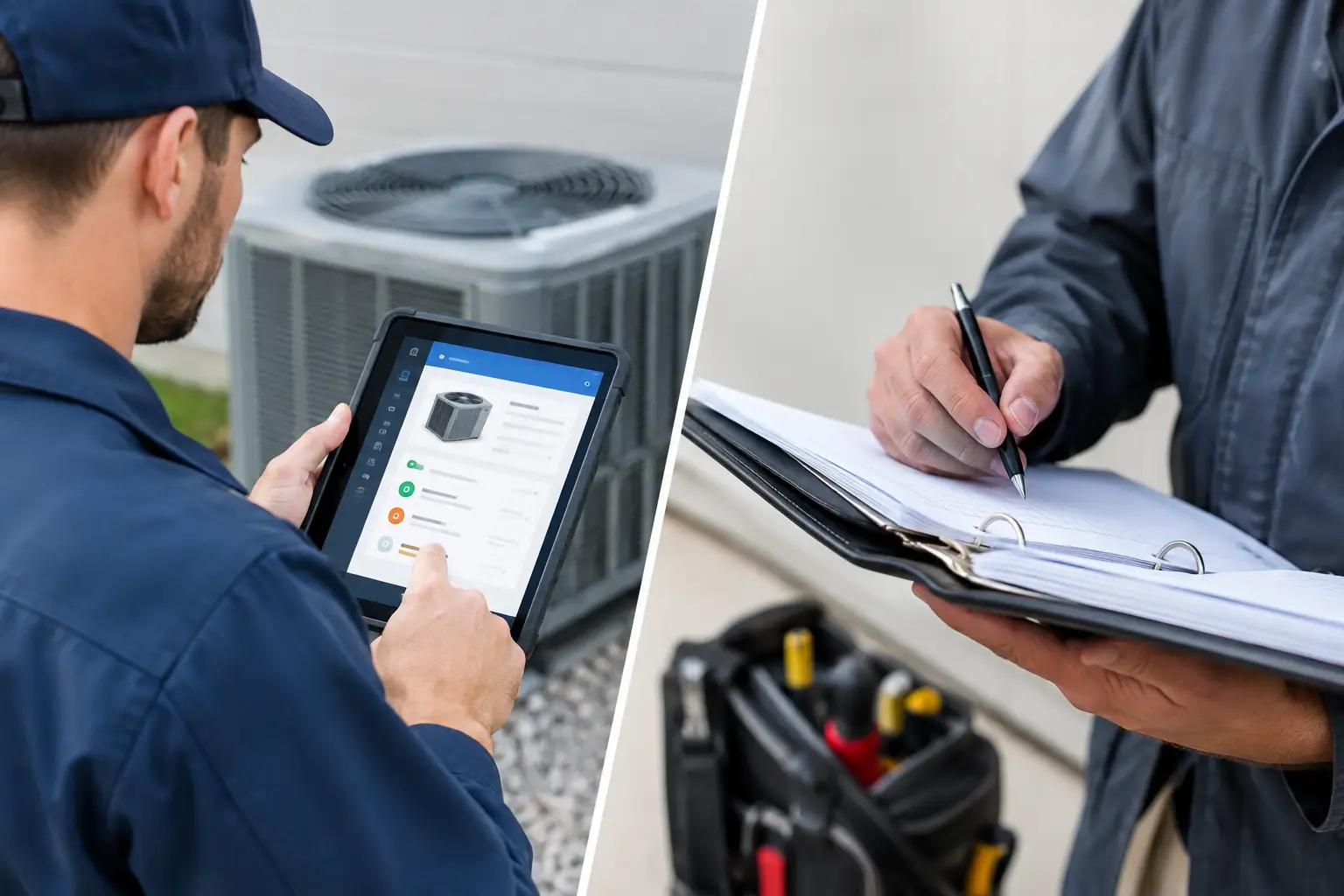
A technician is standing beside a rooftop unit with a no-cool call, the customer is waiting, and the fault code points in three possible directions. The question is not whether information exists. It is whether the technician can find the right information before time, confidence, and billable hours disappear. That is where the choice between HVAC apps versus binders becomes practical, not theoretical.
A well-built binder can still earn its place in a service vehicle. It does not need a signal, a battery, or a login. But a binder also depends on somebody printing the right material, filing it correctly, replacing outdated pages, and knowing where it was stored. For contractors trying to give every technician dependable diagnostic support, the system matters as much as the information inside it.
HVAC Apps Versus Binders at the Service Call
The basic difference is retrieval. A binder stores information by physical location: tab, section, page number, and handwritten note. An app stores information by search, category, equipment type, symptom, calculation, or guided process. Neither approach automatically makes a technician better. The better system is the one that helps the technician move from symptom to a defensible next step without guessing.
Binders work best when the information is limited and stable. A startup checklist, a quick pressure-temperature reference, an approved wiring diagram, or a short set of company procedures can be easy to keep in print. Some technicians also prefer marking up pages they use often. In a basement mechanical room or on a roof with poor reception, paper remains available.
The problem begins when the binder becomes the catch-all for manuals, install data, notes, manufacturer bulletins, photos, and copies of copies. A 260-page manual is not much help when the technician needs one sequence-of-operation detail now. Pages tear out. Print quality drops. One truck has the revision while another has an older version. The information may be technically present, but it is not operationally accessible.
A diagnostic app can reduce that search time by putting manuals, calculations, step-by-step guidance, and shared field knowledge in one account-based workspace. Instead of calling the office, texting a senior technician, or flipping through several documents, the technician has another path to problem solving. That does not replace training or sound electrical and refrigeration practices. It supports them when the job gets unfamiliar.
Speed Is More Than a Search Bar
Fast access is the strongest case for digital tools, but speed should not mean rushing. Good diagnostic speed comes from finding the correct procedure, gathering meaningful readings, and eliminating bad assumptions early.
Consider a technician troubleshooting a furnace that starts, runs briefly, and shuts down. A binder might contain a generic ignition sequence and a manufacturer manual, assuming both are current and filed. A useful app can help the technician work through the sequence in order: call for heat, inducer operation, pressure switch status, ignition, flame proving, and blower operation. The technician still needs a meter, safe testing practices, and judgment. The advantage is that the process is organized when the call is not.
That organization also protects less experienced technicians. A newer technician may know how to take a reading but not yet know which reading should come next. Guided instructions can keep the call from turning into parts replacement by suspicion. For experienced technicians, the same system can serve as a fast reference when they encounter an uncommon unit, control board, or fault pattern.
There is a trade-off. Search only helps when the content is well labeled and relevant. An app filled with loosely named documents can become a digital version of the messy binder. The goal is not to digitize clutter. The goal is to organize information around the way technicians diagnose equipment in the field.
Updates Are Where Binders Lose Ground
HVAC equipment changes, manufacturer documentation changes, and a company’s best-known fixes change with experience. Printed material creates a maintenance task every time one of those changes occurs. Someone must identify the old page, print the replacement, distribute it, and confirm it reached every vehicle. That work is easy to postpone, which is why old information lingers.
A shared digital workspace makes updates more controlled. The office or designated technical lead can add a revised manual, clarify a diagnostic note, or post a field fix for the whole team. Technicians access the same resource instead of carrying separate versions of the same answer.
This is especially valuable for contractor knowledge that normally lives in conversations. A senior technician may know that a certain symptom on a common local installation often traces back to a specific wiring issue, configuration setting, or installation condition. If that knowledge stays in texts and phone calls, the team has to rediscover it repeatedly. When it is documented in a technician forum or shared discussion, it becomes available to the next person who sees the problem.
That shared knowledge needs boundaries. A field post is not a substitute for manufacturer instructions, local code, or proper verification. Technicians should record what was found, what readings supported the diagnosis, and what fix resolved it. Clear information is more useful than a vague note that says, “Changed part, working now.”
Reliability Still Requires a Backup Plan
Paper has one obvious advantage: it does not depend on a device. Phones break, tablets get left in a truck, and jobsite connectivity is not guaranteed. Contractors should not pretend those conditions never happen.
The practical answer is not to keep every manual in print forever. It is to keep a small, intentional backup set. That might include emergency procedures, core safety references, common unit information, and a short contact list. The binder becomes a contingency tool instead of the primary knowledge system.
Digital tools also need basic field discipline. Devices should be charged. Technicians should know how to access the workspace before they are under pressure. Documents should be organized consistently, and the company should decide who is responsible for maintaining shared content. If nobody owns the information, both an app and a binder will eventually become unreliable.
Cost Is Not Just the Subscription Price
Some owners compare the monthly cost of an HVAC app to the cost of a three-ring binder and stop there. That misses the larger expense: lost diagnostic time. Ten minutes spent hunting for a manual, calling for help, or driving back for information adds up across a team. So does the cost of an unnecessary part, a repeat visit, or a technician who is unsure what to test next.
For a solo technician, a digital system can reduce the burden of carrying and maintaining reference material alone. For a growing company, it creates a more repeatable way to support the whole team. It is not business management software, and it does not need to be. Customer records, billing, and marketing belong in other systems. The diagnostic resource should stay focused on helping technicians solve equipment problems.
HVAC Assist Pro is built around that practical role: manuals, guided troubleshooting, tools, calculators, and technician discussion in one place. The value is not more software for its own sake. It is giving a technician useful help when the equipment is open, the customer is waiting, and the next test matters.
Choose the System Your Team Will Actually Maintain
The right choice depends on your operation. A technician who services a narrow equipment range and works in locations with no dependable connectivity may keep a compact, well-maintained binder as a primary reference. A contractor with multiple technicians, changing equipment documentation, and frequent calls for technical support will usually gain more from a shared digital system.
Many teams land on a hybrid approach: a lean emergency binder in each vehicle, with the app serving as the working library and diagnostic assistant. That avoids treating paper as obsolete while refusing to let paper become the bottleneck.
Start with the calls that create the most delays. Look at the manuals technicians request, the calculations they repeat, the faults that trigger phone calls, and the solutions that disappear into text threads. Build the system around those real moments. When the right information is easy to reach, technicians spend less time searching and more time solving the problem in front of them.